on my personal development environment
Amaan · July 14, 2026 · 6 min read
Now that we're six months into the year, I wanted to write up what my personal development environment looks like, plus the daily tools that actually make life easier.
For context: I mostly work on a Legion 5 Pro running Ubuntu 24.04. I'm not the biggest fan of the distro, but it serves me well. If you've got strong opinions on what I should switch to next, feel free to email me: amaan@poke.com.
When I'm home it's the laptop plus whatever keyboard era I'm currently obsessed with. When I'm moving around, it's just the laptop.
Core
I'm still pretty terminal-pilled, but the center of gravity moved when I switched hard to Zed. Shell, CLIs, and agents around the editor — not a full tmux-and-neovim desktop like it used to be.
Terminal emulator
I was a big WezTerm guy. Configurability, GPU rendering, I was in deep. And then I had to admit the thing that kept nagging me: it's just slow as hell for how I work. I set it up in a way where when I launch Wezterm, it launches a tmux session and stays open but it just wasn't fast enough.
These days I'm on Ghostty with zsh and Fira Code. Fast enough that I stop thinking about the emulator and just stay in the session. That's the whole job.
I still have tmux installed, but I barely reach for it now. Same story with neovim — is still the quick-edit hammer; Zed has overtaken these.
Navigation and CLIs
Loose list of the ones I hit constantly:
- zoxide — smarter
cd. I barely type full paths anymore;zjust teleports me. - fzf — fuzzy finding for everything that should have been searchable already.
- Atuin — syncable, searchable shell history. Once you pull the exact command you ran on another machine, default history feels broken. Ellie also accidentally improved my vim life via a Zed keymap post, so Atuin stays undefeated here.
LazyGit — fast visual pass over git state when I don't want to reconstruct the world from flags. Intimidating for a day. Permanent after a week.
Keybinds
I use vim motions in Zed. Vim surpirsingly came naturally to me and it's funny because when I first found out about it, I was very intimidated. AI has made setting it up and writing plugins so much easier, that setup cost basically vanished.
The editor
Zed
I was on Windows waiting for Zed's Windows beta, hopped on as soon as it dropped (early access), and stayed. Then the whole setup moved over to Ubuntu with me.
I followed Zed pretty closely before I adopted it because building an IDE from scratch in Rust is interesting on its own. There are layers to this. I liked the founders' vision, stayed tapped in, then actually used it. Coming from Cursor, the first week was rough. The team's shipping speed is what got me hooked.
I've also contributed to Zed, and only after that did I really understand how much it takes to build something like this — a shader / game-like renderer, an editor on top of it, then keep iterating forever. Huge respect.
Use it once. You'll know what I'm talking about.
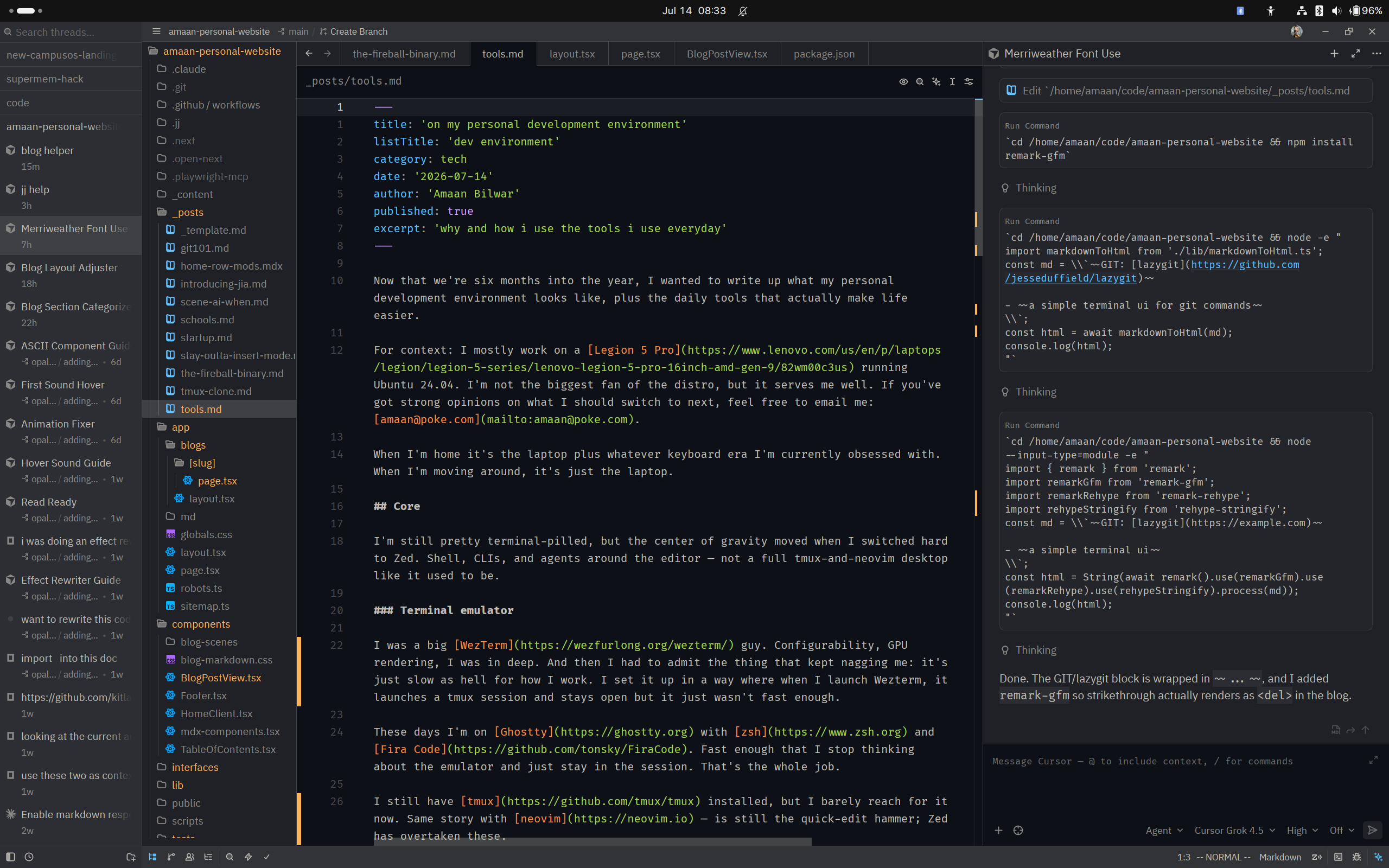 zed — where most of the day actually happens
Agents
This is the part of the stack that moved the most this year.
I use Zed agents in the editor, and I've been using the terminal agent stuff they recently added too — thanks to them for taking agents seriously as a first-class workflow instead of a bolted-on chat panel or whatever they had going on way back when. iykyk. Still needs work, it's getting there, that's why I love opensource.
For coding agents specifically, I'm heavily OpenCode pilled. Terminal-native, open source, feels like it belongs next to the shell instead of fighting it. Also, I have insane amounts of respect for the Opencode team, and more so for Kit. Thank you for making me Effect pilled, it's amazing.
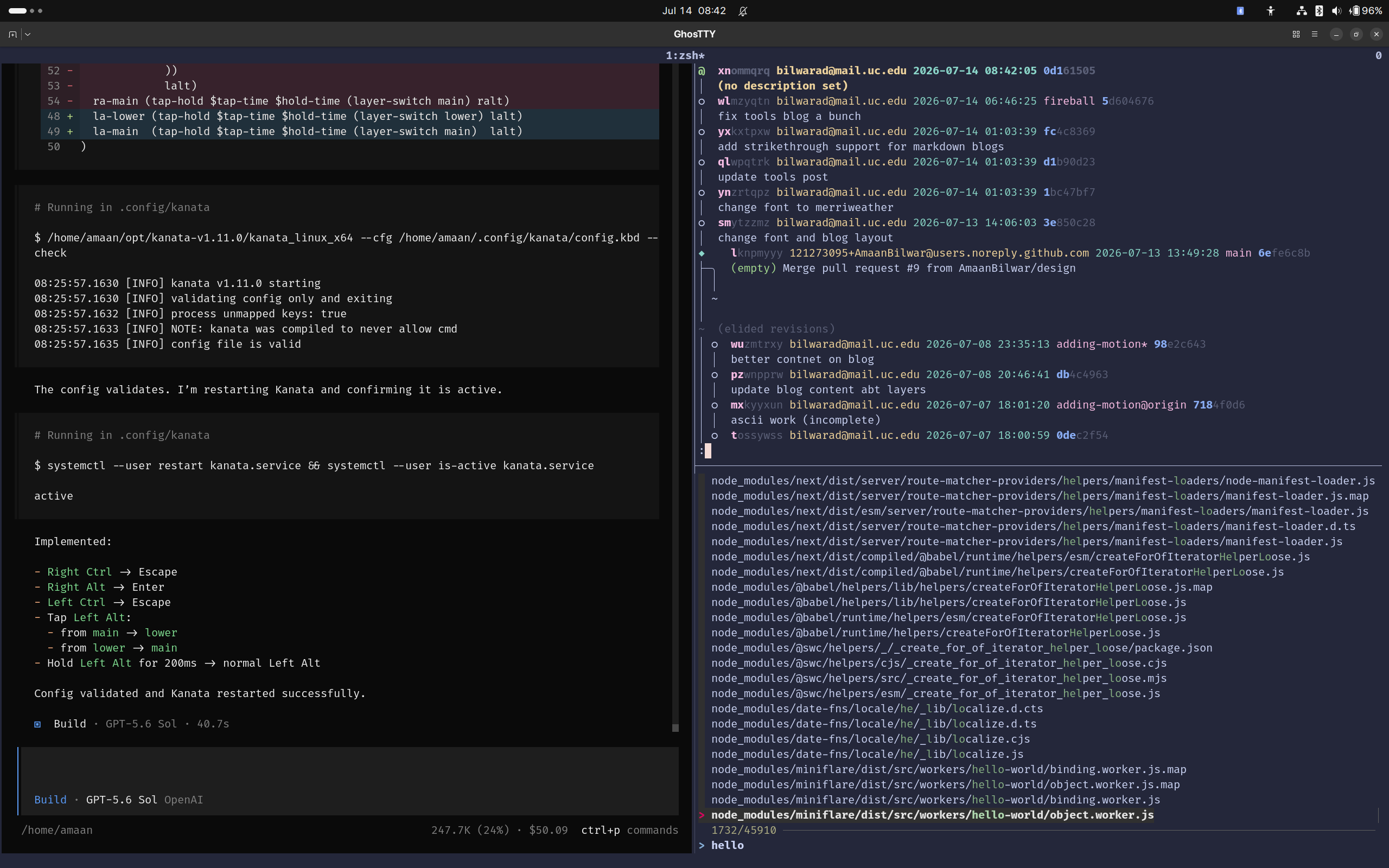 opencode + fzf + jj running in ghostty
I also keep Cursor CLI around because I have about $700 in Cursor credits and I'm not leaving that on the table. Different tools, same job. OpenCode is the ideology. Cursor CLI is the added bonus.
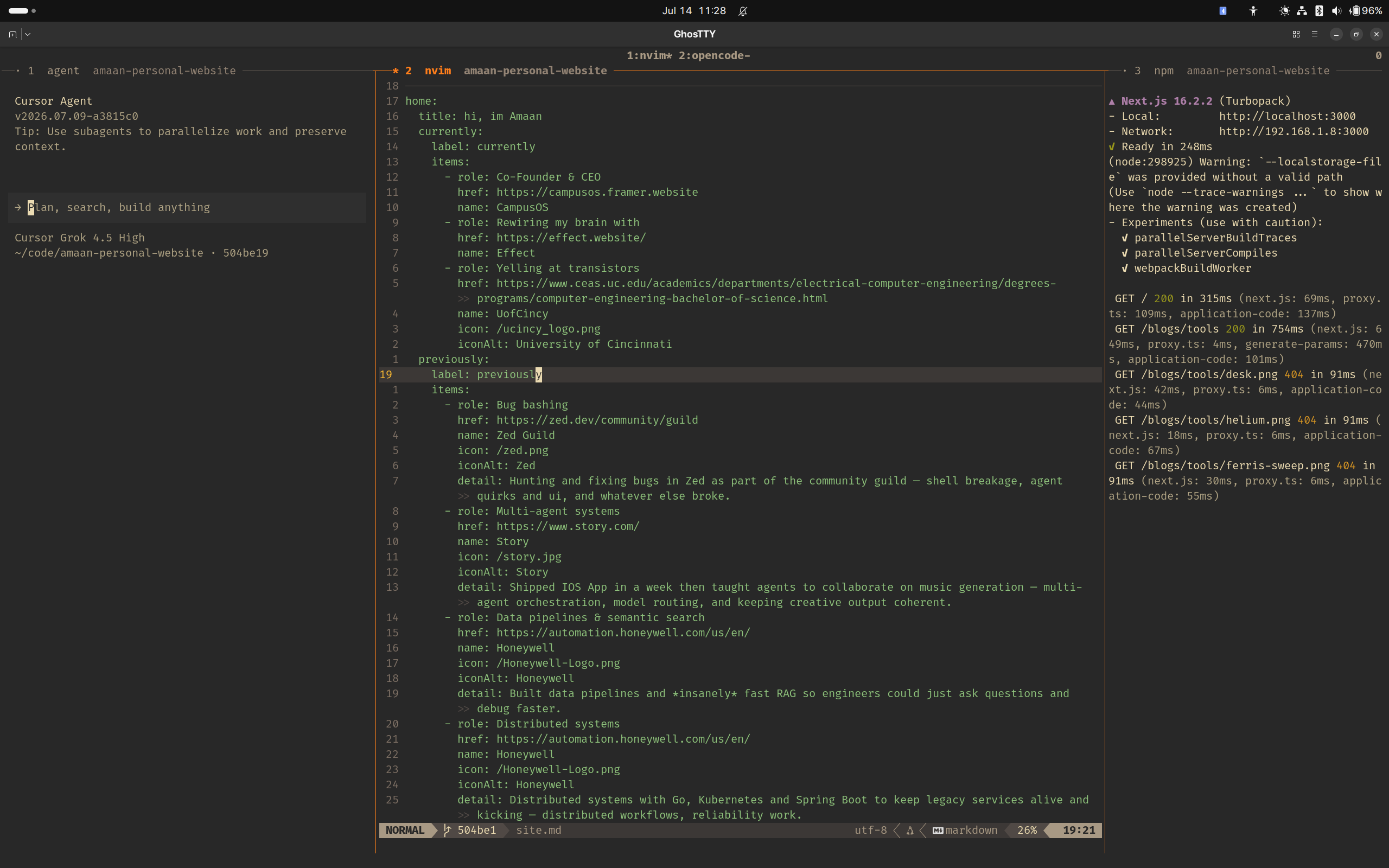 how i code in the terminal when i'm not in zed
Version control
Jujutsu (jj)
I use jj with git as the backend, and I'm loving it so far. The model is simpler than the git story I had in my head, and once that clicks, a lot of the old ceremony feels optional.
Here's a good resource if you want to get started with jj: Jujutsu for Busy Devs. Mitchell Hashimoto has some great tweets about learning to use jj.
Browser
Helium
Simple, fast, secure, privacy-first, open source. Built by two devs I respect a lot.
Building a usable browser on top of Chromium is already hard. What I find interesting is how they develop it: patches on top of ungoogled-chromium, so when upstream moves, they re-apply the patch set instead of carrying a giant divergent fork. Sounds clean. Still complex.
The UI is excellent. Wukko and jj have clearly spent a lot of time deleting wasted pixel space — dynamic, compact, and a few other modes depending on how much chrome you want. Same recommendation energy as Zed. Just try it.
Audio
Headphones
- Bose QuietComfort — comfortable, solid ANC, and I wear glasses. I've done 16–20 hour flights on these and they stay wearable the whole way. Good case, replaceable ear cups, battery life that still surprises me. Charges fast, lasts days if not weeks.
- Apple EarPods (3.5mm) — not the performative wireless ones, the actual headphone-jack ones. I carry a USB-C adapter and keep both on me. They almost never tangle for me, sound better than they have any right to on a budget, and they're still one of the best cheap wired options out there.
Keyboards
I spend most of my day on a keyboard, so this section keeps growing whether I want it to or not.
- Redragon Kumara K552 — first mechanical. Outemu blues (Cherry MX clones). I tried my best to be that annoyingly loud roommate.
- Legion 5 Pro laptop keyboard — the daily driver when I'm not on an external board. Fine. Surpirsingly good keyboard.
- Ferris Sweep (Ben Vallack territory) — current hobby / addiction / reason to live. Building it from scratch: custom PCBs, artwork, Kailh Choc Pro Red linears, blank keycaps, soldering, no case. 34 keys. Cannot wait for this to be done.
If you only steal one idea from this post: optimize the thing your hands touch for eight hours a day.